How to make your images the same size
When uploading images to your pattern and the images are different sizes, use Maxi’s built- in image ratio settings to fix this in seconds
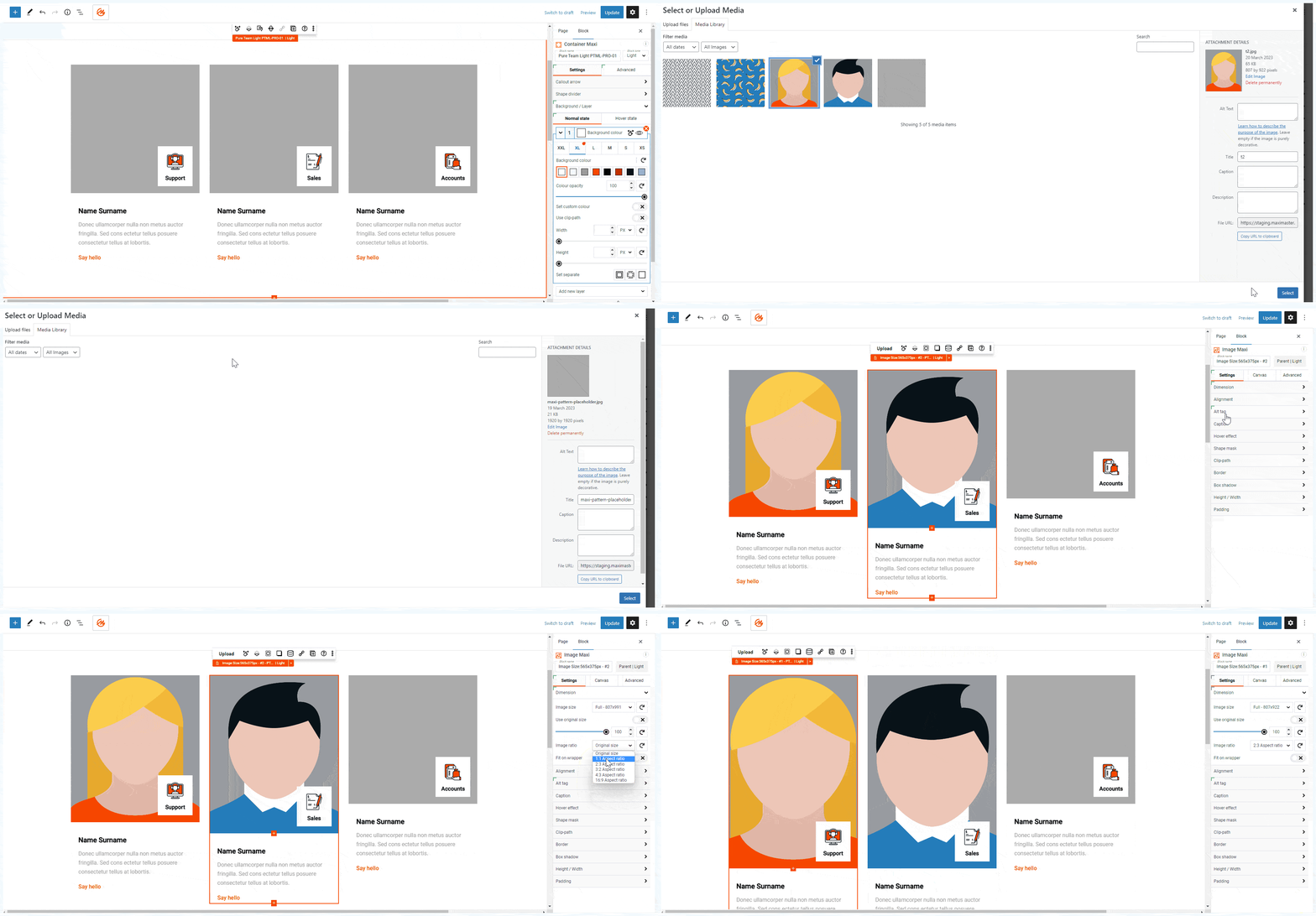
Image ratio settings refer to the aspect ratio of an image, which is the proportion of the width to the height.
**### Here are Maxi's default image ratio settings:
1:1 Square
This image ratio is a perfect square, with equal width and height dimensions. It is often used for social media profile pictures and product images.
4:3 Standard
This image ratio has a width that is 4/3 times the height. It is a standard size for digital cameras and is often used for photos and video.
16:9 Widescreen
This image ratio has a width that is 16/9 times the height. It is a standard aspect ratio for high-definition video and is often used for YouTube videos and movies.
3:2 Classic
This image ratio has a width that is 3/2 times the height. It is a common aspect ratio for film photography and is often used for printing.
2:3 Panorama
This image ratio has a width that is 2 times the height. It is often used for landscape and panoramic photography.
Image ratio settings** are important to consider when designing or selecting images for a project, as they can impact the overall look and feel of the design.